

[Release] DTWeb 2.0 UPDATE
- Thread starter Wikko0
- Start date
You are using an out of date browser. It may not display this or other websites correctly.
You should upgrade or use an alternative browser.
You should upgrade or use an alternative browser.


natumno
Member
- Joined
- Mar 1, 2011
- Messages
- 140
- Reaction score
- 16
Пфф не съм влизал от доста време реших да проверя регистрацията ми стои ли още...
естествено вече нямам време за игри ядовете са много но като гледам как сте
усъвършенствали някой файлове чак за миг ми се иска пак да си направя сървър xD мога да твърдя че форума е доста подреден и изчистен добра работа... това може да не е по темата но БРАВО.
p.s
сайта ме кефи ще си го запазя в колекцията която съм събрал с времето мисля че го имам но по старата версия xD
естествено вече нямам време за игри ядовете са много но като гледам как сте
усъвършенствали някой файлове чак за миг ми се иска пак да си направя сървър xD мога да твърдя че форума е доста подреден и изчистен добра работа... това може да не е по темата но БРАВО.
p.s
сайта ме кефи ще си го запазя в колекцията която съм събрал с времето мисля че го имам но по старата версия xD
I have this error please help me
When I installed the website, the items in the game were only partially similar to those on the website. Maybe it's due to error running SQLScript.sql, I don't know.
I use V1.3 version data and version 1.2 SQLScript.sql file. Because the V1.3 download path does not contain the SQLScript.sql file
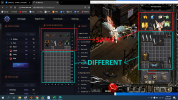
When I installed the website, the items in the game were only partially similar to those on the website. Maybe it's due to error running SQLScript.sql, I don't know.
I use V1.3 version data and version 1.2 SQLScript.sql file. Because the V1.3 download path does not contain the SQLScript.sql file

MeMoS
Well-Known Member
- Joined
- Oct 18, 2008
- Messages
- 623
- Reaction score
- 501
I have this error please help me
When I installed the website, the items in the game were only partially similar to those on the website. Maybe it's due to error running SQLScript.sql, I don't know.
I use V1.3 version data and version 1.2 SQLScript.sql file. Because the V1.3 download path does not contain the SQLScript.sql file
Most likely missing the items in the WebShop database table or the items are custom/from another season, because I have seen this bug that it adds this exact "missing" items when items from newer version are inserted with a items editor

DemonuMu
Well-Known Member
- Joined
- May 26, 2011
- Messages
- 1,286
- Reaction score
- 246
I had some time and thought I'd do a little test again.
The video tutorial is totally different from the version that is now uploaded for download,I don't see that script that needs to be added to MuOnline, it means it's no longer needed,that's what I think....
I added this script before trying to install this web 1.3:
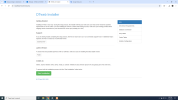
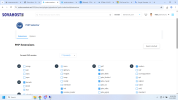
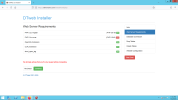
I am using xampp-win32-1.7.1-installer,SQL Server 2008 R2 and I have 2 problems,there is no mention of this problem anywhere in this topic ?
OpenSSL Extension how to fixed ?....
cURL Extension how to fixed ?....
and I continued the installation,so far there are no problems
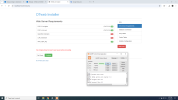
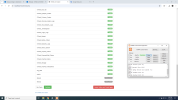
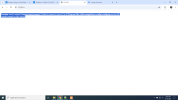
when I finish the installation this problem appears,I am waiting for suggestions on how I can solve these problems.
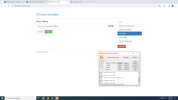
I also changed it to Your Computer Name and it still doesn't work,and yes SQL Server! is online but this web1.3 refuses to connect
The video tutorial is totally different from the version that is now uploaded for download,I don't see that script that needs to be added to MuOnline, it means it's no longer needed,that's what I think....
I added this script before trying to install this web 1.3:
Use MuOnline; DROP PROCEDURE [dbo].WZ_DISCONNECT_MEMB;
I am using xampp-win32-1.7.1-installer,SQL Server 2008 R2 and I have 2 problems,there is no mention of this problem anywhere in this topic ?
OpenSSL Extension how to fixed ?....
cURL Extension how to fixed ?....
and I continued the installation,so far there are no problems
when I finish the installation this problem appears,I am waiting for suggestions on how I can solve these problems.
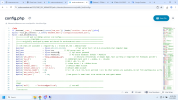
$sql_host = $json->127.0.0.1; // Sql server host: 127.0.0.1,localhost,Your Computer Name
I also changed it to Your Computer Name and it still doesn't work,and yes SQL Server! is online but this web1.3 refuses to connect
Attachments

Last edited:

DemonuMu
Well-Known Member
- Joined
- May 26, 2011
- Messages
- 1,286
- Reaction score
- 246
there is no problem in sql server 2008, the problem is in web 1.3, I also tested with 127.0.0.1 and it doesn't work eitherHow do you install the sql server?

total4o
Active Member
- Joined
- Jul 23, 2009
- Messages
- 257
- Reaction score
- 40
DemonuMu
Well-Known Member
- Joined
- May 26, 2011
- Messages
- 1,286
- Reaction score
- 246
or maybe you don't have if you don't understandYou have brain problems
Last edited:

nelson25
Banned
- Joined
- Apr 1, 2017
- Messages
- 221
- Reaction score
- 75
small childrenor maybe you don't have if you don't understand

DemonuMu
Well-Known Member
- Joined
- May 26, 2011
- Messages
- 1,286
- Reaction score
- 246
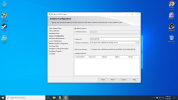
Default or Named Instance
I installed a new Windows,,how I installed it
Attachments
total4o
Active Member
- Joined
- Jul 23, 2009
- Messages
- 257
- Reaction score
- 40
Yes you should install it as a Default InstanceI installed a new Windows,,how I installed it
DemonuMu
Well-Known Member
- Joined
- May 26, 2011
- Messages
- 1,286
- Reaction score
- 246
That's how I had it installed last time,and it didn't work, I showed in the pictures what the problem was.Yes you should install it as a Default Instance

total4o
Active Member
- Joined
- Jul 23, 2009
- Messages
- 257
- Reaction score
- 40
Its working on web host i can help installing itUnfortunately, this page does not support installation on Webhost Maybe in the future we will see some new update with this option.
DemonuMu
Well-Known Member
- Joined
- May 26, 2011
- Messages
- 1,286
- Reaction score
- 246
DemonuMu
Well-Known Member
- Joined
- May 26, 2011
- Messages
- 1,286
- Reaction score
- 246
[Installation]
1st Open localhost/install/install.php
2nd Follow all instuctions and complate instalation
3rd Delete Install folder
Support PHP versions 5.2 with mssql extension to - 7.2 with proper sqlsrv drivers installed and activated. Thanks to Damian's class.
it doesn't work on the web host if you want to install it
 /yes I changed the settings here too config.php
I played a little with php 5.4/5.5 to 5.6 I get this error.
Does anyone have a solution why it doesn't work ?
I think I showed everything I could with this.
test this code that's what is required from what I've seen
DROP PROCEDURE dbo.WZ_DISCONNECT_MEMB;
GO
Attachments
Last edited:
Similar threads
- Replies
- 297
- Views
- 104K

- Replies
- 0
- Views
- 992
- Replies
- 0
- Views
- 930
- Replies
- 0
- Views
- 1K
- Replies
- 1
- Views
- 2K